Acckit Turbo Downloader
What it is used for
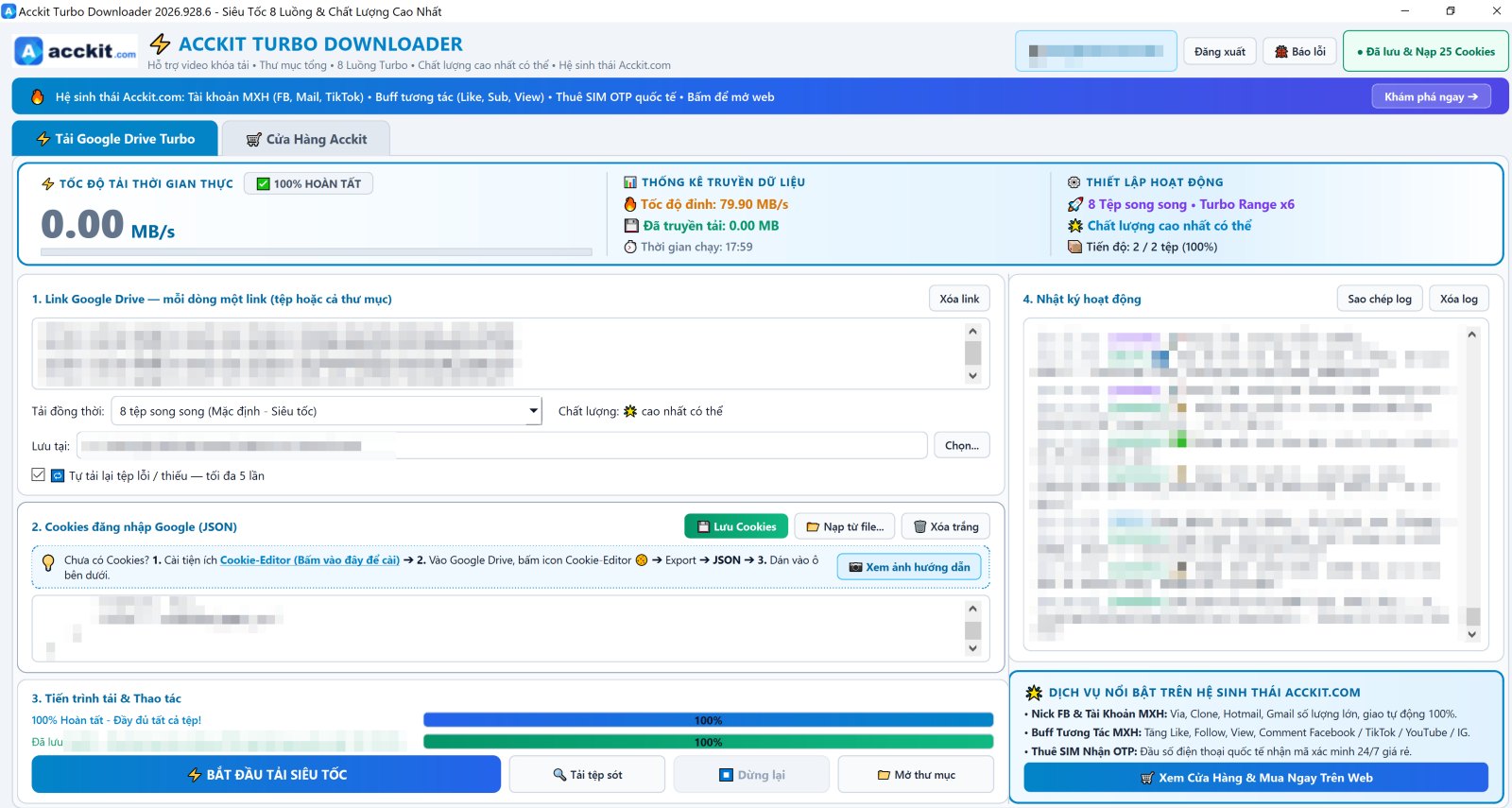
- Paste multiple Google Drive links at once — single files or entire folders, automatically downloads all subfolders
- Download 8 files in parallel with multi-threading per file — fully utilizes your network bandwidth
- Always downloads highest video quality possible, automatically merging audio and video streams
- Preserves original filenames with unicode accents and full root folder hierarchy
- Auto-retries failed or incomplete files up to 5 times — no need to babysit each download
- Download missing files button: compares your local folder with Drive, downloads only remaining items
- Live speed meter, step-by-step activity log
Step-by-step installation
-
Download and extract
Download acckit-turbo-downloader-setup.zip, extract it (right-click → Extract All), then double-click acckit-turbo-downloader-setup.exe inside.
Why a zip archive instead of a direct .exe: Chrome blocks unsigned setup files with "is not commonly downloaded and may be dangerous" — this is based on download count, not file safety. Packaging in a zip lets you download normally. -
Bypass Windows warning and install
Windows shows the blue screen "Windows protected your PC" — click More info then Run anyway. Next, click Next → Install. Installs without administrator privileges, with shortcuts added to the Start Menu and Desktop.
-
Open app and log in
Log in with your acckit account — username and password, or Sign in with Google. Shares the same account with acckit.com and our other tools.
-
Paste your Google cookies
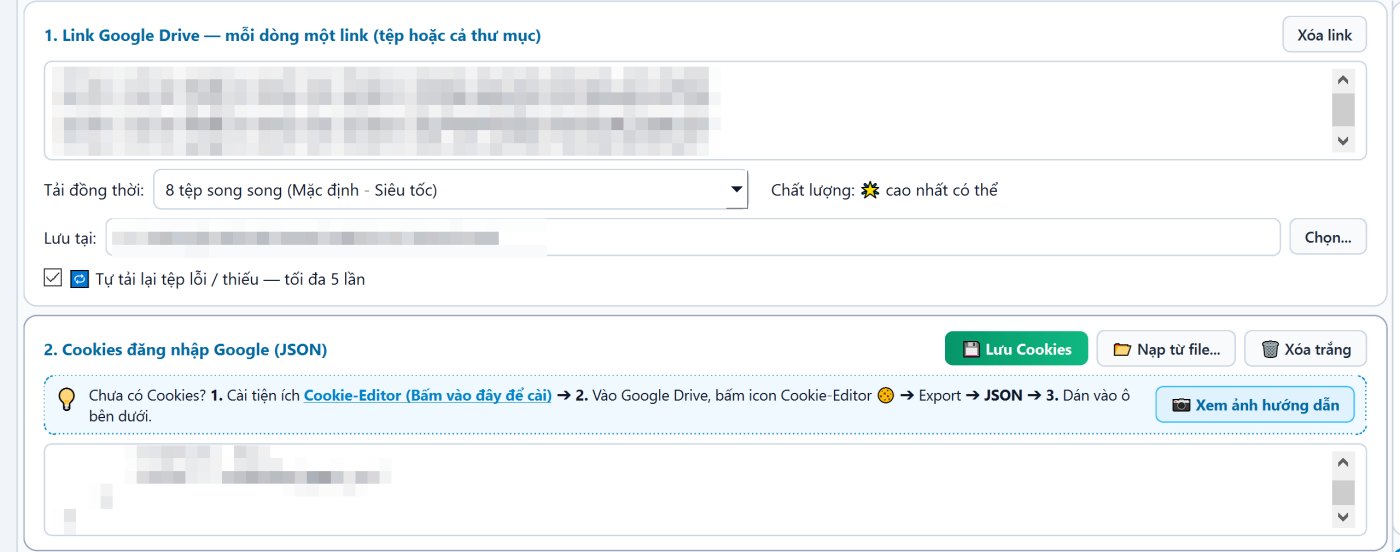
The app downloads using your own Google session, so it can only download what your account has permission to view. Install the Cookie-Editor extension on Chrome, open drive.google.com with that account, click Cookie-Editor → Export → JSON, paste into box 2. Cookies and click Save Cookies — the app reloads them automatically next time. A View screenshot guide button is available in the app.
-
Paste link and click download
Paste Google Drive links into box 1 — one per line, single files or full folders. Select concurrent download threads and destination folder, then click Start Turbo Download. Monitor progress on the top meter and right-hand activity log. Next time, if resuming or if new files were added to Drive, click Download Missing Files — the app only downloads what is missing and preserves existing files.

Why you can trust this installer
Chrome and Windows score an installer based on two things: whether it is signed with a digital certificate, and how many people downloaded it. Neither has anything to do with what is inside the file.
Acckit has not purchased a code signing certificate yet — certificates suitable for this cost hundreds of dollars each year. Therefore, all our installers are flagged as "unknown publisher". We state this upfront rather than leaving you to wonder.
This is the most certain way to know the file on your machine is exactly what we released, with no tampering in transit.
2a76ce549c680dfadea81211e807837ce9d143acaab11e3689353ea152c61611
Open PowerShell on your computer, run the command below, and compare it with the hash above. An exact match confirms the file is authentic:
Get-FileHash .\acckit-turbo-downloader-setup.zip -Algorithm SHA256If it does not match, do not install — re-download from this page and let us know.
Files can only be downloaded after signing in to your acckit account — the same account you use to buy products, deposit funds, and file warranty tickets. We do not distribute files anonymously through chat groups or third-party mirrors.
Listed transparently, nothing hidden:
- acckit.com — signs in, checks for updates, downloads store list, and every 2 minutes reports which app version is running using a randomized machine ID (never includes hostname or personal info). Error logs are only sent when you explicitly click Report issue.
- accounts.google.com — only when you choose Sign in with Google, inside Google's own sign-in window.
- Google Drive (drive.google.com and Google download servers) — downloads files using cookies you paste in. Cookies are sent only to Google, never to acckit.com.
The source code contains zero behavior analytics or tracking libraries — no Google Analytics, no Sentry, no telemetry.
After downloading, before installing, submit the file to VirusTotal — it scans with over 70 antivirus engines simultaneously for free. You do not need to take our word for it, just read the results.
Or test inside Windows Sandbox or a virtual machine before installing on your main PC. For anyone managing hundreds of accounts, this step is well worth doing, even for digitally signed software.
Frequently Asked Questions
Cookies have expired, or belong to a different Google account. Open Drive with the account that has file access, re-export JSON cookies, paste into box 2 and click Save Cookies.
The app always downloads the highest quality available for the source file. If the uploaded original video is low resolution, a higher quality version does not exist.
The app auto-retries failed files up to 5 times with exponential backoff for Google to recover. If still failing, click Retry failed files, or Report issue: logs of failed files are attached for technical support.
Re-paste the folder link, choose the previous destination folder, and click Download missing files: the app compares local files against Drive and downloads only remaining items.
Open Downloads (Ctrl+J), find the blocked file, click the three-dots menu and select Keep. Or download using another browser — Edge, Firefox, or Brave.