Acckit Profile
What it is used for
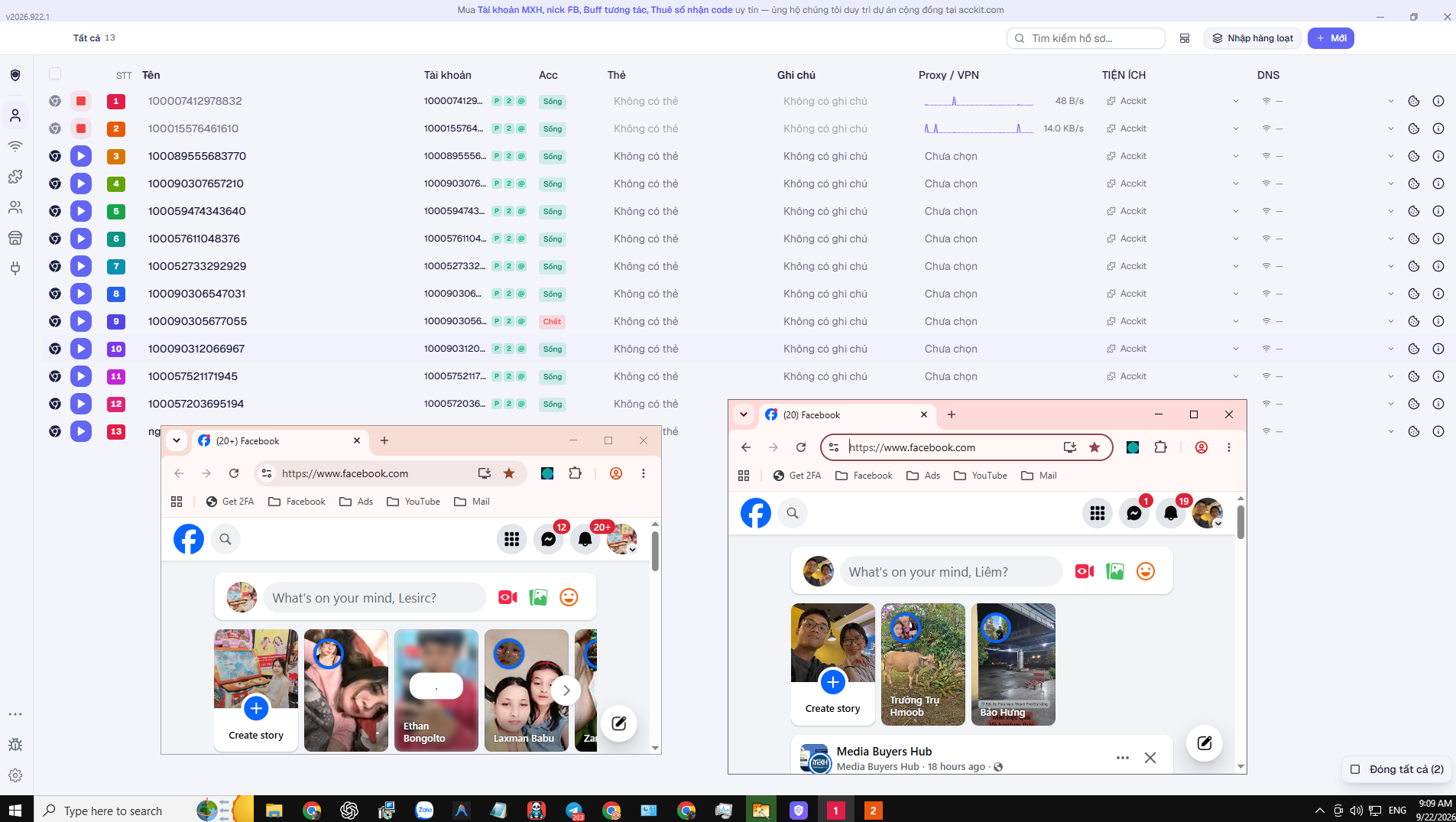
- Each profile has unique fingerprints, proxy, and session — zero cross-contamination
- Bulk import account lists uid|pass|2fa|mail, automatically assigns proxies in sequence
- Profile templates: bookmarks, pre-opened tabs, groups, extensions — create hundreds in one click
- Stores UID / password / mail, generates 2FA on the fly, alerts on duplicate IP addresses
- Bulk open and close, automatic window grid tiling to fill your screen
Step-by-step installation
-
Download and extract
Download acckit-profile-setup.zip, extract it (right-click → Extract All), then double-click acckit-profile-setup.exe inside.
Why a zip archive instead of a direct .exe: Chrome blocks unsigned setup files with "is not commonly downloaded and may be dangerous" — this is based on download count, not file safety. Packaging in a zip lets you download normally. -
Bypass Windows warning
Windows shows the blue screen "Windows protected your PC" — click More info then Run anyway. This is the default Windows warning for any software without an expensive code signing certificate, not a problem with the app itself.
-
Launch application
After installation, launch the app from the Start Menu or your desktop shortcut.
-
Sign in and download browser core
Log in with your acckit account, then download browser core directly inside the app before creating profiles. Browser core must be installed before profiles can open.
Why you can trust this installer
Chrome and Windows score an installer based on two things: whether it is signed with a digital certificate, and how many people downloaded it. Neither has anything to do with what is inside the file.
Acckit has not purchased a code signing certificate yet — certificates suitable for this cost hundreds of dollars each year. Therefore, all our installers are flagged as "unknown publisher". We state this upfront rather than leaving you to wonder.
This is the most certain way to know the file on your machine is exactly what we released, with no tampering in transit.
8a5bf9e0bc19dca316ca05f8e4215529848b4e600911a798690e0cc51f7b0bf8
Open PowerShell on your computer, run the command below, and compare it with the hash above. An exact match confirms the file is authentic:
Get-FileHash .\acckit-profile-setup.zip -Algorithm SHA256If it does not match, do not install — re-download from this page and let us know.
Files can only be downloaded after signing in to your acckit account — the same account you use to buy products, deposit funds, and file warranty tickets. We do not distribute files anonymously through chat groups or third-party mirrors.
Listed transparently, nothing hidden:
- acckit.com — signs in and checks if a newer version is available.
- GitHub, Mozilla, download.wayfern.com — downloads browser binaries directly to your machine. This is why the first run requires a brief initial setup.
- Proxies you enter — only the proxies configured in the app, nothing else.
- Websites you open inside browser profiles — Facebook, YouTube, email… just like a regular browser.
The source code contains zero behavioral tracking libraries — no Google Analytics, no Sentry, no telemetry. Furthermore, the software disables Firefox telemetry in every profile it creates.
After downloading, before installing, submit the file to VirusTotal — it scans with over 70 antivirus engines simultaneously for free. You do not need to take our word for it, just read the results.
Or test inside Windows Sandbox or a virtual machine before installing on your main PC. For anyone managing hundreds of accounts, this step is well worth doing, even for digitally signed software.
Frequently Asked Questions
Our download is packaged as a zip file, so it usually downloads smoothly. If your browser still blocks it, open Downloads (Ctrl+J), find the item, click the menu and select Keep. Or download via another browser — Edge, Firefox, or Brave.
Go to browser download section inside the app and install the core first; each computer only needs to download it once.
Go to Settings → UI Zoom and lower scale to 80–90%. To tile multiple profile windows, select profiles and click Tile Grid.
The proxy count must be at least equal to the accounts you are creating. Check the preview to see how many are needed, or reduce accounts.
Baixar
Entrar para baixar- Fileacckit-profile-setup.zip
- File size19.1 MB
- Version2026.1016.1
- Updated16/10/2026